
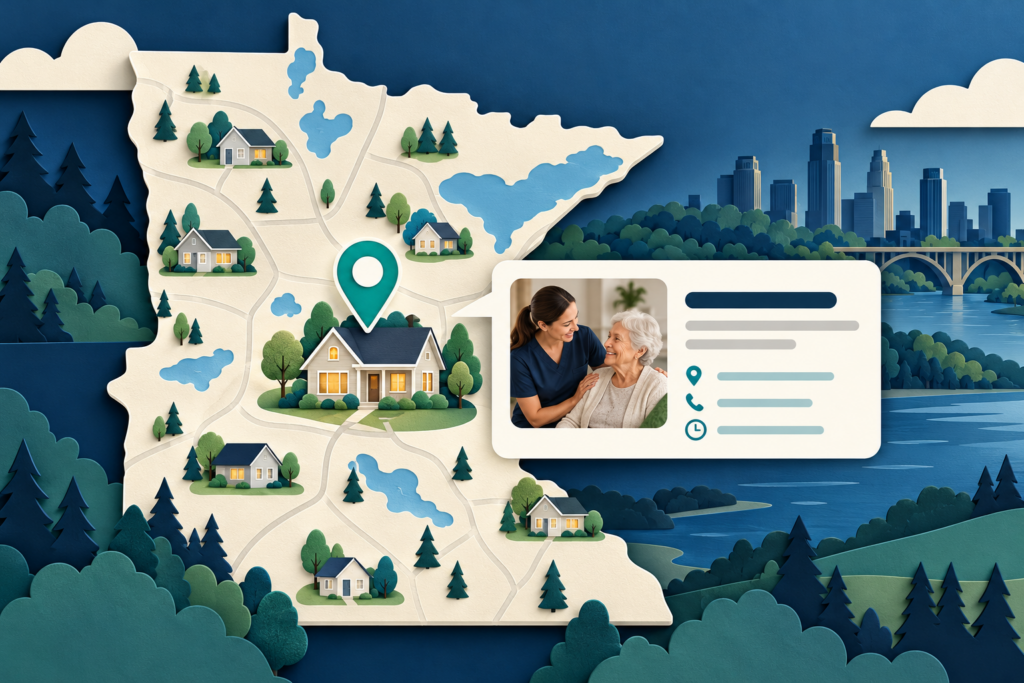
Google Business Profile Optimization for Minnesota Home Care Agencies
A strong Google Business Profile helps a Minnesota home care agency appear accurately when families search nearby, compare providers, or ask for directions, hours, services, and contact information. The practical goal is not to “game” the map pack. It is to give Google and prospective clients a complete, consistent, verifiable picture of who you are, where you operate, and what care you provide.
Google says local results are mainly based on relevance, distance, and prominence. You cannot control every part of that equation, but you can improve relevance and trust by choosing the right category, defining a truthful service area, completing your services and hours, earning legitimate reviews, adding current photos, and keeping your website and public provider records consistent.
What Google Business Profile does for a home care agency
Your Business Profile can appear in Google Search and Maps. It may show your business name, phone number, website, hours, reviews, photos, services, service areas, and updates. For a home care agency, that makes the profile both a discovery surface and a conversion page.
A complete profile can help a prospective client answer basic questions before calling:
- Does this agency serve my city?
- Does it offer the type of care my family needs?
- Is the office open now?
- Is the phone number current?
- Do the website, profile, and Minnesota provider record describe the same organization?
- Are there recent, credible reviews and photos?
Google does not sell better local ranking, and no optimization can guarantee a particular position. Google’s published guidance says local visibility is determined mainly by relevance, distance, and prominence. Treat the profile as a living source of accurate business information, not a one-time listing.
Start with eligibility and ownership
Before changing the profile, confirm that the agency is eligible and that the right people control it.
Google generally expects a business to make in-person contact with customers during its stated hours. A home care agency that travels to clients can qualify as a service-area business. If clients do not visit the office, Google says the address should be hidden from the public profile and the service area should be used instead.
Keep ownership inside the agency whenever possible. The owner or an accountable staff member should retain primary ownership, while employees or vendors receive only the access they need. That reduces the risk of losing control when a relationship ends.
Use one profile for the real-world business location unless separate locations independently meet Google’s rules. Creating extra profiles for cities without staffed, eligible locations can lead to confusion or suspension.
Use the real-world business name
Enter the name that appears consistently on the agency’s signage, website, stationery, licensing records, and other real-world materials. Do not add city names, service lists, slogans, phone numbers, or keywords unless they are genuinely part of the business name.
For example, an agency called “North Star Home Care” should not rename its profile “North Star Home Care Minneapolis Senior Care Dementia Care” merely to target more searches.
This is both a policy issue and a trust issue. Families may compare the Google listing with the agency website and the Minnesota Department of Health provider directory. A consistent identity makes that verification easier.
Check these identity fields together
Audit the following at the same time:
- Business name
- Public address or hidden-address setting
- Primary phone number
- Website URL
- Hours
- Logo and exterior or team imagery
- Minnesota provider-directory information
The Minnesota Department of Health maintains a directory that includes provider addresses, phone numbers, administrators, and registration or licensure status. Your marketing copy does not need to reproduce every regulatory field, but material identity information should not conflict with an authoritative public record.
Choose the most specific primary category
The primary category is one of the clearest relevance signals you control. Select the category that most specifically describes the agency’s main business, then add only a small number of accurate secondary categories.
Category availability changes, so choose from the options Google currently provides in the dashboard. Do not pick a category simply because a competitor uses it or because it sounds commercially attractive. It must match what the agency actually does.
Review categories whenever the agency changes its service mix, opens a distinct eligible location, or notices that Google has introduced a more appropriate category. Avoid frequent changes without a business reason.
Configure Minnesota service areas honestly
Service areas should reflect where the agency can reliably accept and serve clients. Google allows service-area businesses to define areas by cities, postal codes, or other supported geographic units. Its guidance currently allows up to 20 service areas and says the overall boundary should generally be within about two hours of driving time from the business base.
That limit is not a marketing target. A home care agency should list only places it genuinely serves. Overstating coverage can create poor-fit calls, confuse families, and weaken the relationship between the profile and the agency’s website.
A useful Minnesota service-area workflow
- Start with the cities and counties where the agency currently accepts clients.
- Compare those areas with staffing capacity, travel time, and any real operational limits.
- Add the most important supported cities or postal codes in Google Business Profile.
- Build useful website pages only for priority locations where the agency has real service details to explain.
- Revisit the list when staffing or coverage changes.
A profile service area and a website service-area page do different jobs. The profile tells Google where the business operates. A strong web page explains what the agency provides in that community, who it serves, how intake works, and why the information is locally relevant. Do not create thin, interchangeable city pages merely to repeat place names.
Complete services, hours, and contact paths
Add the services families actually ask about, using plain language that matches the website. Depending on the agency, this may include personal care, homemaking, respite care, companionship, overnight care, memory-care support, or other accurately described offerings.
Do not imply medical services, credentials, or eligibility that the agency does not have. If a service requires an assessment, referral, plan of care, or specific license, make the website explanation precise rather than compressing a complicated claim into a marketing phrase.
Keep regular hours and special hours current. If the office closes for a holiday but an on-call line remains available, describe that arrangement accurately on the website and use the profile fields in a way that will not mislead a caller.
Use a local, monitored phone number. Point the website link to the strongest relevant page—usually the agency homepage or a dedicated local landing page with a clear next step. Test both on mobile.
Build a photo library that proves the business is real
Google recommends clear, well-lit, truthful images without excessive alteration. Its current photo guidance supports JPG or PNG files, recommends 720 by 720 pixels, and sets file-size limits from 10 KB to 5 MB.
For a home care agency, useful images may include:
- The real office exterior and entrance, if clients visit
- The reception or consultation space
- Leadership and care-team photos used with proper permission
- Branded vehicles or community-event participation
- Staff-training or education moments that do not expose private client information
- A current logo and cover photo
Avoid stock-photo overload. Generic caregiver imagery may be polished, but it does little to verify the local organization. Never upload a client image, health information, home interior, or identifying detail without documented permission and an appropriate privacy review.
Ask for reviews without scripting the answer
Reviews can help prospective clients understand the experience of working with an agency, and Google notes that review count and score can contribute to local prominence. The safe strategy is to build a consistent request process, not to chase only positive reviews.
Google provides a review link or QR code that a business can share. Ask at an appropriate point in the relationship, make the request optional, and invite honest feedback. Do not offer incentives for reviews or pressure a client to use specific language.
Respond to reviews professionally. Thank the reviewer, address general concerns, and avoid confirming that someone is a client or discussing care details. Home care responses deserve an especially careful privacy standard: a warm, generic reply is usually safer than a detailed public explanation.
Publish updates only when they help
Profile posts can support timely communication about community events, hiring, service availability, educational resources, or new website content. They are not a substitute for accurate core fields.
A useful post should have one clear purpose, a relevant image, and a next step. Avoid repeating the same promotional copy every week. For a Minnesota agency, seasonal posts might address severe-weather office changes, caregiver hiring events, fall-prevention resources, or a new guide for families—provided every claim is accurate and the linked page is current.
Connect the profile to the website
The profile and website should reinforce each other. Match the business name, contact details, services, and priority service areas. Use a clear contact or intake path. Add location and service details that cannot fit naturally in the profile.
This is also where technical terms matter:
- Local SEO is the work of improving visibility for geographically relevant searches.
- AEO, or answer engine optimization, structures useful information so search and answer systems can extract direct answers.
- GEO, or generative engine optimization, focuses on how a brand and its evidence may be understood or cited by generative AI systems.
- Schema markup is machine-readable structured data added to a website. It can clarify business and page information, but it does not guarantee rankings, rich results, or AI citations.
Use accurate Organization or LocalBusiness-related schema only when it reflects the real entity and location. Do not mark up hidden reviews, invented service areas, or a public-facing location that customers cannot visit.
Measure actions, not just views
Google Business Profile performance data is available to verified profiles and can show searches, views, and customer interactions for applicable profile features. Track what matters to the agency:
- Calls
- Website clicks
- Direction requests, when relevant
- Messages or bookings, if enabled and actively monitored
- Search terms and seasonal changes
- Qualified inquiries recorded in the agency’s intake system
Do not treat every profile view as a lead. Compare profile interactions with call tracking, website analytics, and actual intake outcomes. Use consistent UTM parameters on the website link so Google Business Profile traffic can be separated in analytics.
A practical monthly review asks:
- Are profile details still accurate?
- Which searches and locations are generating interactions?
- Are calls and website visits turning into qualified inquiries?
- Are reviews recent and representative?
- Do the website and provider records still agree?
- What should be improved next month?
A 30-minute optimization checklist
Identity and policy
- Confirm agency ownership and manager access.
- Use the real-world business name.
- Keep one profile per eligible location.
- Hide the address if clients do not visit the office.
- Compare public details with the Minnesota provider directory.
Relevance
- Select the most specific truthful primary category.
- Add only relevant secondary categories.
- Complete the service list in plain language.
- Define only real service areas.
- Link to a current, conversion-ready website page.
Trust and conversion
- Update regular and special hours.
- Add current local photos with proper permissions.
- Use a consistent, non-incentivized review request process.
- Respond without disclosing client information.
- Test the phone number, website link, and intake form on mobile.
Measurement
- Add UTM parameters to the website link.
- Review profile performance monthly.
- Compare interactions with qualified intake outcomes.
- Record changes so results can be evaluated over time.
Common mistakes to avoid
The most damaging problems are usually basic: keyword-stuffed names, duplicate locations, inaccurate service areas, stale hours, disconnected phone numbers, thin location pages, or reviews that go unanswered. Another common mistake is treating the profile as separate from the website and regulatory identity.
Accuracy comes first. A smaller, defensible footprint is more valuable than a larger profile built on claims the agency cannot support.
Frequently asked questions
Should a Minnesota home care agency show its office address?
Show the address only if the location is eligible under Google’s rules and customers can visit it during stated hours. If the agency travels to clients and does not serve customers at the office, Google instructs service-area businesses to hide the address.
How many service areas can a profile include?
Google’s current guidance allows up to 20 service areas. Choose only cities, postal codes, or supported areas the agency genuinely serves.
Do reviews improve local rankings?
Google says review count and score can contribute to local prominence. Reviews are also important to prospective clients, but they are only one part of local visibility and do not guarantee a ranking.
Can schema markup improve a Google Business Profile?
Schema belongs on the website, not inside the profile. Accurate structured data can help search systems understand the organization and page content, but it does not guarantee local rankings, rich results, or AI recommendations.
How often should the profile be updated?
Update core fields whenever the business changes. Review the full profile at least monthly, and check hours before holidays or temporary closures. Add posts and photos only when they provide current, useful information.
Takeaway
A high-performing home care profile is accurate, specific, current, and connected to the agency’s real operations. Start with the correct identity and category, define a defensible service area, complete services and hours, build a permission-safe photo and review process, and measure qualified actions rather than raw exposure.
If you want to see how your profile, website, and public trust signals appear across search and AI-answer surfaces, request Total Web Advantage’s free AI visibility audit.